GraphRAG on Kubernetes with Neo4j: Production Knowledge Graph RAG Guide (2026)
Build production GraphRAG on Kubernetes: Neo4j cluster with causal clustering, graph construction pipelines, Cypher-based retrieval, hybrid vector + graph queries, and when GraphRAG beats vector-only RAG.
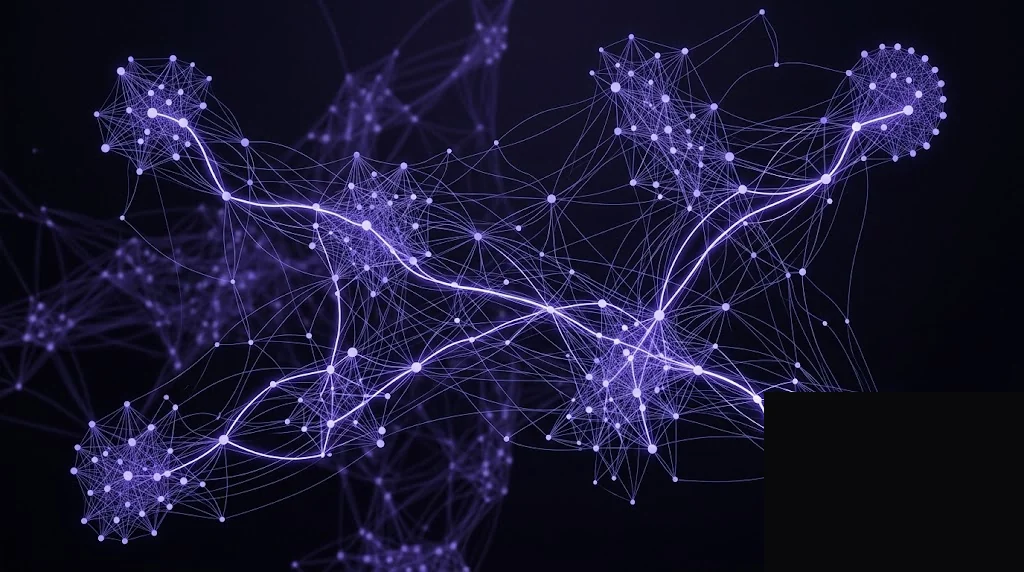
Most production RAG in 2026 is vector-only, and that’s fine for most use cases. But when a retrieval task requires understanding how entities connect - multi-hop reasoning, aggregation, structural queries - vector similarity runs out of room. GraphRAG on Kubernetes with Neo4j is the pattern we deploy when clients hit that ceiling.
This guide covers the production Neo4j deployment, the graph construction pipeline, and the hybrid query pattern that combines vector and graph retrieval.
When GraphRAG is worth the complexity
| Question pattern | Vector RAG | GraphRAG |
|---|---|---|
| “What does this document say about X?” | ✓ | - |
| “Summarize my support tickets this month.” | ✓ | - |
| “Which customers in my account tree have open escalations?” | ✗ | ✓ |
| “What APIs depend on the service I’m about to deprecate?” | ✗ | ✓ |
| “Find all entities related to X through a chain of Y relationships.” | ✗ | ✓ |
| “Map the org chart under VP Y.” | ✗ | ✓ |
Vector RAG retrieves based on meaning; GraphRAG retrieves based on structure. Most production-grade AI products benefit from both. If your retrieval errors are “the model missed relevant connections” rather than “the model missed semantically similar content”, add GraphRAG.
Architecture
                      Document sources
                            │
                            ▼
                  ┌────────────────────┐
                  │  Extraction Worker │   LLM with structured output
                  │  (entity + rel     │   (llama-3.1-70b via LiteLLM)
                  │   extraction)      │
                  └─────────┬──────────┘
                            │
                            ▼
                  ┌────────────────────┐
                  │  Merger Worker     │   Entity dedup + resolution
                  │  (entity           │
                  │   resolution)      │
                  └─────────┬──────────┘
                            │
           ┌────────────────┼────────────────┐
           ▼                                 ▼
   ┌──────────────┐                 ┌──────────────┐
   │   Neo4j      │                 │    Qdrant    │
   │   cluster    │                 │              │
   │ (nodes, rels,│                 │ (chunks for  │
   │  properties) │                 │  semantic    │
   │              │                 │  retrieval)  │
   └──────┬───────┘                 └──────┬───────┘
          │                                │
          └──────────────┬─────────────────┘
                         │
                         ▼
                  ┌────────────────────┐
                  │  Orchestration     │
                  │  Service           │   Hybrid retrieval:
                  │                    │   vector → expand graph
                  │  (LangGraph /      │   → prompt LLM
                  │   FastAPI)         │
                  └────────────────────┘
                            │
                            ▼
                     User / LLM app
Prerequisites
- Kubernetes 1.28+
- Helm 3.14+ with the Neo4j chart repo added
- cert-manager, ingress-nginx (needs Bolt/WebSocket protocol support)
- Fast SSD StorageClass (Neo4j is IO-heavy)
- Qdrant or pgvector for the vector half
- LiteLLM gateway fronting an LLM for extraction
- Neo4j Enterprise license (or Community Edition for single-instance development)
Deploy Neo4j with causal clustering
helm repo add neo4j https://helm.neo4j.com/neo4j
helm repo update
kubectl create namespace neo4j
Production values.yaml:
# values.prod.yaml
neo4j:
  name: prod
  edition: "enterprise"
  acceptLicenseAgreement: "yes"
  offlineMaintenanceModeEnabled: false
  password: ${NEO4J_PASSWORD}            # via external-secrets in practice
  resources:
    cpu: "4"
    memory: "32Gi"

volumes:
  data:
    mode: "defaultStorageClass"
    defaultStorageClass:
      requests:
        storage: 500Gi
      storageClassName: gp3
  transactions:
    mode: "defaultStorageClass"
    defaultStorageClass:
      requests:
        storage: 100Gi
      storageClassName: gp3

env:
  NEO4J_dbms_memory_pagecache_size: "16G"
  NEO4J_server_memory_heap_initial__size: "8G"
  NEO4J_server_memory_heap_max__size: "8G"
  NEO4J_db_tx__log_rotation_retention__policy: "1 days"
  NEO4J_dbms_security_procedures_unrestricted: "gds.*,apoc.*"
  NEO4J_PLUGINS: '["apoc", "graph-data-science"]'
  NEO4J_server_backup_enabled: "true"

config:
  server.bolt.listen_address: ":7687"
  server.bolt.advertised_address: ":7687"
  server.http.listen_address: ":7474"

logInitialPassword: "no"

podSpec:
  podAntiAffinity:
    requiredDuringSchedulingIgnoredDuringExecution:
      - labelSelector:
          matchExpressions:
            - key: helm.neo4j.com/neo4j.name
              operator: In
              values: [prod]
        topologyKey: kubernetes.io/hostname

services:
  bolt:
    annotations:
      service.beta.kubernetes.io/aws-load-balancer-type: "nlb"
      service.beta.kubernetes.io/aws-load-balancer-internal: "true"
For causal clustering (3 core members), repeat this values.prod.yaml with neo4j.name: core-0, core-1, core-2 and use the neo4j-cluster-core chart variant:
for i in 0 1 2; do
  helm upgrade --install core-$i neo4j/neo4j \
    --namespace neo4j \
    --values values.prod.yaml \
    --set neo4j.name=core-$i \
    --set neo4j.minimumClusterSize=3 \
    --wait --timeout 15m
done
All three pods join via Neo4j’s discovery service and form a Raft-based causal cluster.
Install the neo4j-graphrag Python library
In your extraction worker image:
FROM python:3.11-slim
RUN pip install \
    neo4j==5.22.0 \
    neo4j-graphrag==0.4.0 \
    openai==1.51.0 \
    qdrant-client==1.11.0 \
    pydantic==2.9.0
The library ships an SimpleKGPipeline that handles extraction end-to-end.
Graph construction pipeline
# extraction_worker.py
import asyncio
import neo4j
from neo4j_graphrag.llm import OpenAILLM
from neo4j_graphrag.embeddings import OpenAIEmbeddings
from neo4j_graphrag.experimental.pipeline.kg_builder import SimpleKGPipeline

# LLM via LiteLLM proxy (OpenAI-compatible) - see /deploy-litellm-proxy-on-kubernetes/
llm = OpenAILLM(
    model_name="llama-3.1-70b-selfhosted",
    api_key="sk-litellm-abc123",
    base_url="https://llm.example.ae/v1",
    model_params={"temperature": 0.0, "max_tokens": 4096},
)

embedder = OpenAIEmbeddings(
    model="text-embedding-3-large",
    api_key="sk-litellm-abc123",
    base_url="https://llm.example.ae/v1",
)

driver = neo4j.AsyncGraphDatabase.driver(
    "neo4j+s://neo4j.example.ae:7687",
    auth=("neo4j", os.environ["NEO4J_PASSWORD"]),
)

# Schema - constrain what the LLM extracts
entities = [
    "Person", "Company", "Product", "Service",
    "Document", "Incident", "Contract",
]
relations = [
    "WORKS_AT", "OWNS", "DEPENDS_ON",
    "MENTIONS", "RESOLVED_BY", "SUPERSEDES",
]
potential_schema = [
    ("Person", "WORKS_AT", "Company"),
    ("Company", "OWNS", "Product"),
    ("Service", "DEPENDS_ON", "Service"),
    ("Document", "MENTIONS", "Person"),
    ("Incident", "RESOLVED_BY", "Person"),
    ("Contract", "SUPERSEDES", "Contract"),
]

pipeline = SimpleKGPipeline(
    llm=llm,
    driver=driver,
    embedder=embedder,
    entities=entities,
    relations=relations,
    potential_schema=potential_schema,
    from_pdf=False,
    neo4j_database="neo4j",
    on_error="IGNORE",
)

async def ingest_doc(text: str, source_id: str):
    await pipeline.run_async(text=text, document_info={"source_id": source_id})
Deploy as a Kubernetes Deployment that consumes documents from a Redis queue (same pattern as the ingestion layer in the RAG reference architecture):
apiVersion: apps/v1
kind: Deployment
metadata:
  name: graphrag-extraction-worker
  namespace: graphrag
spec:
  replicas: 3
  selector:
    matchLabels: {app: graphrag-extraction-worker}
  template:
    metadata:
      labels: {app: graphrag-extraction-worker}
    spec:
      containers:
        - name: worker
          image: registry.example.ae/graphrag/extraction:v1.0.0
          env:
            - name: NEO4J_URI
              value: "neo4j+s://core-0-neo4j.neo4j.svc.cluster.local:7687"
            - name: LITELLM_URL
              value: "http://litellm.llm-gateway.svc.cluster.local:4000"
          envFrom:
            - secretRef:
                name: graphrag-secrets
          resources:
            requests: {cpu: 500m, memory: 1Gi}
            limits: {memory: 4Gi}
---
apiVersion: keda.sh/v1alpha1
kind: ScaledObject
metadata:
  name: graphrag-extraction-worker
  namespace: graphrag
spec:
  scaleTargetRef: {name: graphrag-extraction-worker}
  minReplicaCount: 1
  maxReplicaCount: 10
  triggers:
    - type: redis
      metadata:
        address: redis.graphrag:6379
        listName: "graphrag:extract:pending"
        listLength: "5"
Scale conservatively - each extraction costs a 70B-model LLM call, so queue-based scaling prevents runaway cost.
Entity resolution
The LLM will create duplicate entities: Alice, Alice Smith, A. Smith, Dr. Smith become four nodes unless you resolve them. Run a periodic dedup pass:
// Match potential duplicates via name similarity
CALL gds.graph.project.cypher(
    'person-dedup',
    'MATCH (p:Person) RETURN id(p) AS id, p.name AS name',
    'MATCH (p1:Person), (p2:Person) WHERE id(p1) < id(p2) RETURN id(p1) AS source, id(p2) AS target'
)

CALL gds.nodeSimilarity.stream('person-dedup')
YIELD node1, node2, similarity
WHERE similarity > 0.85
WITH gds.util.asNode(node1) AS p1, gds.util.asNode(node2) AS p2
// Merge with explicit LLM review for edge cases
CREATE (p1)-[:SAME_AS {confidence: 0.85}]->(p2);
For production, we run entity resolution as a nightly CronJob and use an LLM call to adjudicate SAME_AS edges with confidence 0.75-0.95. High-confidence merges happen automatically; mid-confidence goes to a human-in-the-loop queue.
Hybrid retrieval: vector + graph
The orchestration layer combines both retrieval modes:
# orchestrator/rag.py
from qdrant_client import AsyncQdrantClient
from neo4j import AsyncGraphDatabase

qdrant = AsyncQdrantClient(url=QDRANT_URL, api_key=QDRANT_API_KEY)
neo4j_driver = AsyncGraphDatabase.driver(NEO4J_URL, auth=("neo4j", NEO4J_PWD))

async def hybrid_retrieve(query: str, tenant_id: str) -> dict:
    # 1. Vector search
    q_embedding = await embed(query)
    vector_hits = await qdrant.search(
        collection_name="documents",
        query_vector=q_embedding,
        query_filter={"must": [{"key": "tenant_id", "match": {"value": tenant_id}}]},
        limit=10,
    )

    # 2. Expand each hit to its 2-hop subgraph in Neo4j
    chunk_ids = [h.payload["chunk_id"] for h in vector_hits]
    async with neo4j_driver.session() as session:
        subgraph = await session.run("""
            MATCH (c:Chunk)-[:MENTIONS]-(e)
            WHERE c.id IN $chunk_ids
            WITH e
            MATCH path = (e)-[*1..2]-(related)
            WHERE all(n IN nodes(path) WHERE n.tenant_id = $tenant_id OR NOT 'tenant_id' IN keys(n))
            RETURN DISTINCT
              e.name AS entity,
              type(last(relationships(path))) AS relation,
              related.name AS related_entity,
              related.description AS related_description
            LIMIT 50
        """, chunk_ids=chunk_ids, tenant_id=tenant_id)
        graph_facts = await subgraph.data()

    return {
        "chunks": [{"text": h.payload["text"], "source": h.payload["source_id"]} for h in vector_hits],
        "graph_facts": graph_facts,
    }

async def answer(query: str, tenant_id: str, user_id: str) -> str:
    retrieval = await hybrid_retrieve(query, tenant_id)

    prompt_context = "\n\n".join([
        "RELEVANT DOCUMENTS:",
        "\n".join(f"- {c['text']}" for c in retrieval["chunks"]),
        "",
        "RELATED ENTITIES AND RELATIONSHIPS:",
        "\n".join(f"- {f['entity']} {f['relation']} {f['related_entity']}: {f['related_description'] or ''}"
                  for f in retrieval["graph_facts"]),
    ])

    # Generate via LiteLLM
    resp = await llm.chat.completions.create(
        model="gpt-4o-uae-primary",
        messages=[
            {"role": "system", "content": SYSTEM_PROMPT},
            {"role": "user", "content": f"{prompt_context}\n\nQuestion: {query}"},
        ],
        extra_body={"metadata": {"trace_user_id": user_id, "tags": ["graphrag", "prod"]}},
    )
    return resp.choices[0].message.content
The graph facts in the prompt are what unlock multi-hop questions. For the question “which of Alice’s direct reports work on services that depend on the payment API?”, vector search finds Alice and payment docs; graph traversal connects them.
Observability
Neo4j exposes Prometheus metrics via the neo4j.metrics.prometheus config. Key metrics:
neo4j_transaction_active- write contention signalneo4j_page_cache_hits / neo4j_page_cache_page_faults- cache effectiveness; want > 99%neo4j_bolt_connections_opened- client loadneo4j_cluster_raft_leader- leader elections (> 1/day means cluster unhappy)
Trace every retrieval (vector + graph + generation) via Langfuse - the Langfuse guide shows the integration pattern.
Sizing tiers
| Tier | Nodes + rels | Core members | RAM/node | Storage | Est. monthly cost (AED) |
|---|---|---|---|---|---|
| Small | <10M | 3 × r6i.xlarge | 32 GB | 500 GB gp3 | ~14,000 |
| Medium | 10-100M | 3 × r6i.2xlarge | 64 GB | 1 TB gp3 | ~38,000 |
| Large | 100M-1B | 3 × r6i.4xlarge + 3 read replicas | 128 GB | 2 TB io2 | ~110,000 |
GPU for extraction LLM is separate (see our serving benchmark).
Common failure modes
- Extraction produces inconsistent schemas - LLM ignoring
potential_schema. Use structured output (JSON schema validation) in the LLM call, not free-form prompts. - Graph explodes with meaningless nodes - no filtering of entities. Add an allow-list pass that drops entities not matching a confidence threshold or known type.
- Neo4j page cache thrashing - working set exceeds allocated cache. Raise
dbms.memory.pagecache.sizeand watchneo4j_page_cache_hits. - Slow 3-hop queries - lack of indexes on relationship types.
CREATE INDEX ON :Person(name)and appropriate relationship indexes. - Read replica lag - causal consistency gaps mean reads return stale data. Use
neo4j.session(default_access_mode=neo4j.READ_ACCESS, bookmarks=[...])to enforce session consistency where needed.
What this connects to
GraphRAG is the hybrid retrieval layer that augments vector search:
- Qdrant or pgvector for the vector half
- LiteLLM as the LLM gateway for extraction and generation
- Langfuse for tracing hybrid retrieval paths
- Feast for user-context grounding on top of graph facts
- Production RAG Stack for the overall architecture
Getting help
We deploy GraphRAG for GCC enterprise teams where structural reasoning matters - regulatory compliance queries, service-dependency mapping, multi-tenant knowledge bases. AI/ML Infrastructure on Kubernetes is the engagement. Typical rollout: 6-10 weeks including entity-resolution tuning and hybrid query optimization.
Frequently Asked Questions
When does GraphRAG outperform vector-only RAG?
GraphRAG wins on questions that require multi-hop reasoning, aggregation, or structural understanding of a corpus - 'which products does this customer's parent account use', 'what's the chain of dependencies between these services', 'summarize the relationships between X and Y mentioned across all docs'. Vector RAG retrieves semantically similar chunks; graph RAG retrieves structural subgraphs. For Q&A over narrative documents, vector RAG is usually enough. For enterprise knowledge bases with rich structure (org charts, product hierarchies, process flows), GraphRAG is the unlock.
Why Neo4j for GraphRAG, not a different graph database?
Neo4j is the mature choice: Cypher is the most expressive graph query language, the ecosystem has purpose-built RAG tooling (neo4j-graphrag-python, llm-graph-builder), and the Kubernetes operator handles causal clustering well. Alternatives worth considering are Memgraph (faster, more memory-hungry), ArangoDB (multi-model), and TigerGraph (very high scale but ops-heavy). For teams new to GraphRAG, Neo4j is the lowest-risk starting point.
How do I construct a knowledge graph from unstructured documents?
The standard pipeline has three stages: (1) document ingestion and chunking (same as vector RAG); (2) entity and relationship extraction via an LLM with structured output (Microsoft's GraphRAG paper, neo4j-graphrag-python, or LlamaIndex's KnowledgeGraphIndex); (3) graph merging with entity deduplication and relationship resolution. The bottleneck is usually entity dedup - the LLM calls Alice, A. Smith, and Dr. Smith different nodes unless you run an explicit resolution pass.
Can GraphRAG and vector RAG coexist?
Yes, and they should. The hybrid pattern: vector search finds semantically relevant chunks, then expand each chunk to its surrounding subgraph via Cypher. The LLM gets both the raw text context and the structural context. In production we see ~15-30% improvement in answer quality on complex queries vs. vector-only, with a small latency cost. The [production RAG reference architecture](/production-rag-stack-kubernetes-reference-architecture/) supports this pattern natively.
How do I run Neo4j in a production Kubernetes cluster?
Use the official Neo4j Helm chart with causal clustering enabled - 3 core members for HA, plus 0-N read replicas for scaling queries. Critical: Neo4j is stateful, needs fast SSD for the data and transaction log volumes, and benefits from pinning pods to specific nodes via PodDisruptionBudget + anti-affinity. For enterprise workloads we deploy Neo4j Enterprise (via license) which adds online backup, multi-database support, and fine-grained RBAC.
What is the GCC data-sovereign story for GraphRAG?
Neo4j is self-hostable and has no external dependencies. Deploy the cluster into an in-region Kubernetes cluster (Azure UAE North, AWS Middle East Bahrain, Core42), use in-region S3 for backups, and pair with in-region vector DB and LLM providers for the hybrid pipeline. Neo4j AuraDB (managed) hosts in EU/US/Singapore and is not suitable for NESA or CBUAE regulated workloads.
Complementary NomadX Services
Get Started for Free
We would be happy to speak with you and arrange a free consultation with our Kubernetes Expert in Dubai, UAE. 30-minute call, actionable results in days.
Every engagement is scoped by our principal architect, Adrian Vale: 20+ years in production engineering, 40+ professional certifications. Meet Adrian
Talk to an Expert